Key Takeaways
- One definitiona self-contained configuration file that describes your entire system and pins every dependency to an exact version, like a lockfile for your whole OS manages 3 machines: a MacBook, a Mac Mini, and a Linux desktop, all sharing a 70+ package core
- nix-darwin handles macOS system defaults, the Homebrew installation, the Dock layout, and background services, all defined in a config file, not clicked through manually
- When my MacBook drowned: one command, 90 minutes, fully restored. New Mac Mini: half a day instead of a week.
My MacBook had a disagreement with a little bit of water, got drowned, basically all data lost.
I sent it in for repair, and when it came back, I cloned the repo and ran one command: nix run .#build-switch.
About ninety minutes later, the Dock looked right, zsh was configured,
Homebrew was installed with all the definitionHomebrew's name for GUI macOS apps: Slack, Figma, Brave, whatever. Installed the same way as command-line tools., and my terminal opened with the correct font.
I have never not appreciated that.
That recovery wasn’t luck. The config had been running for over a year. It started on the MacBook, then grew to cover a Mac Mini I picked up for the desk, and later a Linux desktop. That first multi-host setup took half a day. The last time I’d set up a machine without this, it was a week: chasing down what version of Python I was running, what that git alias resolved to, how I’d configured that SSH tunnel, what was buried in my shell profile that I never documented anywhere.
Setting up a machine manually is a form of undocumented configuration. Every choice you make and forget is technical debt with no ticket. Six months later you try to reproduce it on a new machine and discover you have no idea what you did. Nix is the answer to that problem. Verbose, occasionally infuriating, and completely worth it.
Apple has a partial answer to this: Migration Assistant. Move everything from your old Mac to the new one, settings and all. It works, inside Apple’s ecosystem. The moment you have a Linux machine in the mix, or you want to transfer only the intentional parts of your setup and leave the three-year-old accumulated junk behind, Migration Assistant doesn’t help. Nix doesn’t have that constraint. The same config that rebuilt my MacBook manages the Linux desktop. Different hardware, different OS, same shell, same tools, same muscle memory.

Why Nix instead of dotfiles and shell scripts?
The honest answer: I’ve used dotfiles. They work for one machine, mostly, until they don’t. Shell scripts that call brew install accumulate state. They don’t know what’s already installed. They don’t know what to remove. They drift.
Ansible is better: idempotent, declarative-ish, good for server fleets. But it’s SSH-based, it’s stateful underneath, and for personal machines it’s solving a problem Nix solves more completely.
Nix is different in kind, not only in degree. The key idea is that a Nix configuration describes the desired state of the system, not a sequence of steps to get there. If you remove a package from the config and rebuild, it’s gone. If you add a package, it appears. The system’s configuration lives entirely in the flake, not in /usr/local/bin or whatever you’ve accumulated over years of brew install invocations.
Think of it as Terraform for your operating system. You define state, you apply it, the tool figures out the diff. The analogy holds further than you’d expect.
One thing Nix does that nothing else does: rollbacks. Something breaks after a system update, you pick the previous generation at the bootloader and you’re back. No reimaging, no restoring from Time Machine, no guessing which package update broke your workflow. I’ve used this twice. Both times I was unreasonably calm about a situation that would previously have involved a lot of cursing.
The price is a steeper learning curve than anything else in this post. The Nix language is functional, lazily evaluated, and genuinely strange if you come from imperative backgrounds.
What is this Nix config built on top of?
The foundation is dustinlyons/nixos-config. If you’re starting a Nix setup for macOS and want to not spend a week staring at the Nix manual before seeing anything work, that repository is a reasonable place to begin. It gives you the flake structure, nix-darwin integration, home-manager, agenix for secrets, and a basic shared-vs-per-host split. The bones are good.
I’ve run my own fork long enough that it diverges in several meaningful ways.
Two darwin hosts instead of one. The original is a single-machine template. I needed a MacBook and a Mac Mini managed simultaneously, with different packages, different casks, different Dock layouts, different shell config. This meant splitting hosts/ into macbook/ and mini/ and making the shared home-manager module parametric: it accepts email, enableOhMyZsh, and extraZshInitContent as per-host arguments. The Mac Mini gets Oh My Zsh and loads extra shell config from a per-host zsh config file. The MacBook doesn’t. One module, two personalities.
Declarative Dock management. modules/darwin/dock/default.nix runs dockutil in a nix-darwin activation script: compare the current Dock layout against the declared list, remove extras, add missing entries. Per-host Dock configs live in their respective host directories. Fresh machine: correct Dock, automatically. Existing machine: only the diff gets applied.
Brave profile launchers. modules/darwin/brave-profiles.nix generates brave-personal and brave-mini shell scripts that open Brave with the correct --profile-directory flag. The scripts appear in PATH automatically. Sync codes per profile come from the private secrets repo via agenix. A small module, but it solved a real problem: browser profiles are invisible to the rest of the system unless you deliberately surface them like this.
launchd automation with guard files. Three launchd agents: one starts Colima at login, one sets Brave as default browser on first run, one disables the Spotlight Cmd+Space shortcut so Raycast can own it. The last two use a guard file pattern: after running, they write a sentinel to ~/.config/nix-darwin/. On the next activation, they check for that file and skip if it exists. This is the only clean way to make one-time macOS actions work inside a declarative activation system that runs on every rebuild.
Private secrets repository. Secrets live in a separate private git repo referenced as a flake input via SSH (git+ssh://...). agenix encrypts them with age and a YubiKey. The main flake repo never contains plaintext credentials. The private repo is the boundary between what is shareable and what isn’t.
None of this required rewriting the base. The dustinlyons architecture handles the hard structural parts: the flake layout, module composition, nix-darwin integration. Everything above sits cleanly on top because the module system scales that way. Good open source is a starting point. The value accumulates in the gap between where the template ends and where you need to go.
How do three machines share one config?
The entry point is flake.nix. It declares the flake inputs (external dependencies), defines darwinConfigurations for the two macOS machines and nixosConfigurations for the Linux desktop, and exposes build scripts as apps.
Each host has its own directory under hosts/: hosts/macbook/, hosts/mini/, hosts/nixos/. These are thin configuration files that stitch together the shared and platform-specific modules. The split is not macOS-specific: the same shared core runs on the Linux desktop, with modules/nixos/ handling the platform layer instead of modules/darwin/. The architecture works for any combination of machines.
The shared core runs on all three machines. Platform modules handle what's macOS-specific or Linux-specific. Per-host config adds the final 10%: which packages, which casks, which secrets. One flake to rule them all, and nix run .#build-switch to apply it.
The architecture has four layers:
Flake inputs (bottom): nixpkgs pinned to unstable, nix-darwin for macOS system management, home-manager for user-level config, agenix for secrets, nix-homebrew for Homebrew integration, disko for NixOS disk partitioning, and a private git repo with sensitive per-machine config.
Shared core: modules/shared/ runs on all three machines without modification. This is where zsh config lives, tmux config lives, the 70+ shared packages live. Same tools, same shell, same dotfiles, everywhere.
Platform modules: modules/darwin/ handles what’s specific to macOS: system defaults, Homebrew integration, the Dock manager, Brave profile launcher scripts, launchd agents, Touch ID sudo. modules/nixos/ handles the window manager, display manager, compositor, Docker daemon, and disk config.
Per-host config (top): This is where the 10% lives. Which packages are specific to this machine. Which casks. Which secrets. Which Dock entries. The Mac Mini has desktop-specific apps and tooling that don’t belong on the MacBook. The MacBook has PyCharm and a longer unfree package list.
What does the shared core do?
More than you’d expect.
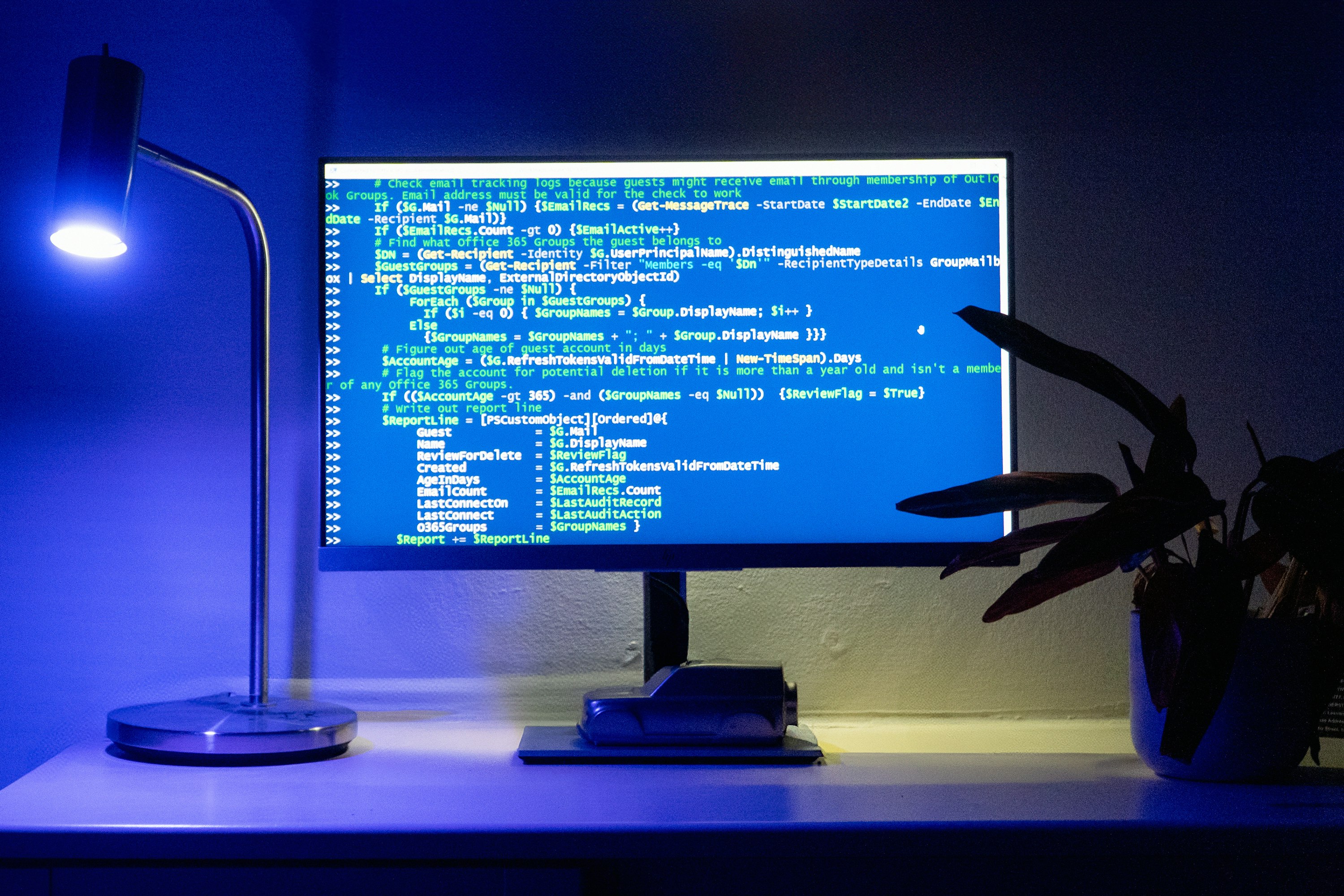
The package list has 70+ tools: things like fzf, ripgrep, atuin for shell history, zoxide for directory jumping, lazygit, neovim, and a bunch more. Not one of these needs to be installed manually on any machine. It’s in the config, it’s everywhere.
The shell config runs the same powerlevel10k theme on all three machines with the same .p10k.zsh that lives in modules/shared/config/. The first time I opened a terminal on the Mac Mini and saw the same prompt I’d been using for two years, I was unreasonably satisfied.
tmux gets session resurrection and continuum auto-save out of the box. If the machine restarts, tmux restores the sessions on next launch. The config is identical everywhere. Cross the machines freely.
Alacritty adjusts font size per platform automatically. One line of conditional config. Platform-aware, centrally managed.
atuin syncs shell history across all three machines. Same key bindings everywhere, without thinking about it.

What makes the macOS setup work?
The darwin module is where the macOS-specific decisions live.
nix-darwin + Homebrew together. nix-darwin is not a replacement for Homebrew. It’s a companion. Nix handles CLI tools, dotfiles, and system settings. Homebrew handles macOS GUI apps that have no Nix derivation or whose Nix builds are unreliable. Both Macs have a distinct set of Homebrew casks. nix-homebrew installs and configures Homebrew itself declaratively; you never run the Homebrew installer manually.
Declarative Dock. The Dock layout is managed via dockutil. The darwin module runs a nix-darwin activation script that compares current Dock entries to the desired list, removes the extras, and adds what’s missing. Fresh machine: configured exactly once, automatically. Existing machine: only touches what’s changed.
Brave profile launchers. I run two Brave profiles. The darwin module generates shell scripts called brave-personal and brave-mini that launch Brave with the correct --profile-directory flag. These scripts land in PATH automatically. Correct profile, correct session, every time.
Guard files for one-time actions. Some macOS things can only be configured once: setting the default browser, disabling the Spotlight Cmd+Space shortcut so Raycast can claim it. nix-darwin activation scripts run on every build-switch, so these can’t be unconditional. The module creates a guard file in ~/.config/nix-darwin/ after the first run; subsequent runs skip the action if the file exists. Inelegant but functional.
Touch ID sudo. One line in the darwin module enables Touch ID for sudo in the terminal. In version control. Never think about it.
Colima as the Docker daemon. No Docker Desktop. Colima is a lightweight macOS VM that runs the Docker daemon. Configured as a launchd agent, starts automatically at login. Both Macs use it. You never notice it.
If you're building a flexibility platform or energy optimization product and need someone who has shipped this end-to-end —let's talk.
What does a new machine actually show you?
When I set up the Mac Mini, I had to think carefully about the shared/per-host split. That process was more useful than expected.
The shared core covers most of what I use every day: 70+ CLI tools, the same shell, the same terminal config, the same editor. When I opened a terminal on the Mac Mini for the first time, ripgrep, lazygit, atuin, zoxide were all there. Same key bindings, same shell history sync, same prompt. The machine already knew who I was.
But I also had to decide what belongs only on the Mac Mini. Desktop-specific apps and tooling: no business on the MacBook. A different git config. A different set of Homebrew casks. These went into hosts/mini/.
Then the third category: things on the MacBook that had no business anywhere. Old casks from defunct projects. Packages installed for a one-off task three years ago and never removed. The declarative config surfaces all of it. You can’t put something in the config without deciding it belongs there. That forced audit cleared out a surprising amount of dead weight.
The upside accumulates. Once you’ve decided that ripgrep belongs everywhere (shared core) and a desktop app belongs only on the Mac Mini (hosts/mini/), that distinction is preserved forever. Next machine, the question is already answered. You’re not starting from memory; you’re starting from state.
The rediscovery phase is where the week goes, on a traditional setup. Chasing down what version of a tool you were running, what that alias resolved to, why one machine behaves differently from another. With the config in front of you, that’s a diff, not a detective investigation. Half a day, not a week. Most of that half day was the 90-minute build.
What are the real trade-offs?
Everything above is real. So are these.
You need SSH keys before running anything. The config pulls the private secrets repo via SSH. On a brand new machine with no keys, the first build fails. This is a five-minute fix: generate fresh keys or copy them from a USB drive, then add the public key to GitHub and your secrets repo. Plan for it. The one time you’re rebuilding under pressure, you’ll be glad you thought about it in advance.
The Nix language is genuinely strange. Functional and lazy evaluation is not what most engineers from Python or Go backgrounds expect. The error messages are famously bad. error: infinite recursion encountered will be your companion for a while. You learn it, and then it stops being strange, but the first month is a friction tax.
First setup is slow; subsequent rebuilds are fast. On a fresh machine with no Nix installed, nix run .#build-switch triggers the Nix installation itself, then builds all derivations, then downloads and installs all Homebrew casks. That’s 90 minutes the first time. Dotfiles with a shell script? Maybe 20. But a config change after setup, adding a new package, takes about 30 seconds. The 90 minutes is front-loaded, not ongoing. The payoff is in the sixth rebuild, not the first.
Every install is a config edit. You can’t brew install thing or apt install thing on impulse anymore. You edit the config, commit, rebuild. That’s correct behavior: every tool on the machine is now documented and intentional. It’s also friction. Coming from a workflow where installing something takes ten seconds, the discipline of “add it to the flake first” takes adjustment. Some people bounce off this and never come back. If you’re the kind of person who installs twenty tools to try them and keeps three, this will feel like bureaucracy.
Some Homebrew casks break builds. Occasionally a cask’s URL changes, or the package is removed, and the build fails. You pin the version, find an alternative, or remove it. This has happened three times in two years. Annoying, not catastrophic.
Documentation quality drops off fast. The nix-darwin options reference and the home-manager options page are reasonable. The moment you need to override something non-standard, you’re reading nixpkgs source code on GitHub. Error messages trace into internals you didn’t write: error: infinite recursion when calculating a fixpoint is a rite of passage, technically informative, practically useless. Flakes have been officially “experimental” since 2021, which means tutorials written two years apart look like different tools entirely. AI has changed this substantially. Claude and ChatGPT understand flake workflows well enough that “explain this Nix error to me” now gets genuinely useful answers. The caveat: LLMs generate working but non-idiomatic Nix. Code that builds today and confuses you in six months. Use AI to get unstuck. Learn the language anyway.
Secrets need a separate private repo. agenix encrypts secrets with age and YubiKey. The secrets themselves live in a separate private git repo referenced as a flake input. This is the right architecture, and it’s also extra complexity. You accept that trade-off or you don’t use agenix.
A public flake is a reconnaissance map. This one came up in conversation after I published, and it’s worth saying plainly. The secrets are private. The public repo still tells an attacker your full toolchain, SSH config details, and enough per-host specifics to map your setup in detail. Nothing in there can be used directly. But an attacker doing reconnaissance doesn’t need credentials — they need a map. A public Nix config is an unusually detailed one.
There’s also a second-order problem: even if you’re careful, the people around you probably aren’t. A good enough map of a setup is useful for targeting others who are less security-aware. The private secrets repo handles credential leaks. It doesn’t handle information disclosure. Think carefully about what goes in the public config versus a private one.
“Reproducible” is relative. The packages are reproducible. The Dock is reproducible. The shell config is reproducible. macOS system permissions (camera, microphone, accessibility, full disk access) are not managed by Nix and must be granted manually after every fresh install. There’s a README section that lists exactly which apps need which permissions. The list is short, but it exists. On the post-repair setup after the drowned MacBook, that list took about ten minutes. Acceptable.

Why reproducibility matters more than you think
Configuration you can’t reproduce is configuration you’re about to lose. Most people find this out at the worst possible moment.
The Mac Mini came first. Not disaster recovery, but planned expansion: new machine, different set of tools. Half a day to be fully operational. That trade, the 90-minute build buying back the rest of the week, was the first proof.
Then came the water. The drowned MacBook was the harder test: unplanned, under pressure, no preparation window. But even if the hardware hadn’t survived, I would have lost the machine, not the setup. The repo is the setup. The hardware is interchangeable.
That’s the shift. A machine that accumulates configuration over years becomes irreplaceable not because the hardware is special but because the state is. You develop a reluctance to switch because switching means losing things you can’t name. Nix turns the machine into a commodity. The configuration is the artifact; the hardware is a host.
Add a tool to the config. It appears on all three machines after one pull. No “oh I should add this to my other machine too.” That stopped being a thought I have.
See the story of how I ended up in grid software for context on the job that prompted the second machine.